Metal iPhone Phone Mount + Cold Shoe for Clean Video
Adjustable Metal Phone Mount for iPhone with Cold Shoe Adapter: Stable Filming, Better Audio, Cleaner Shots
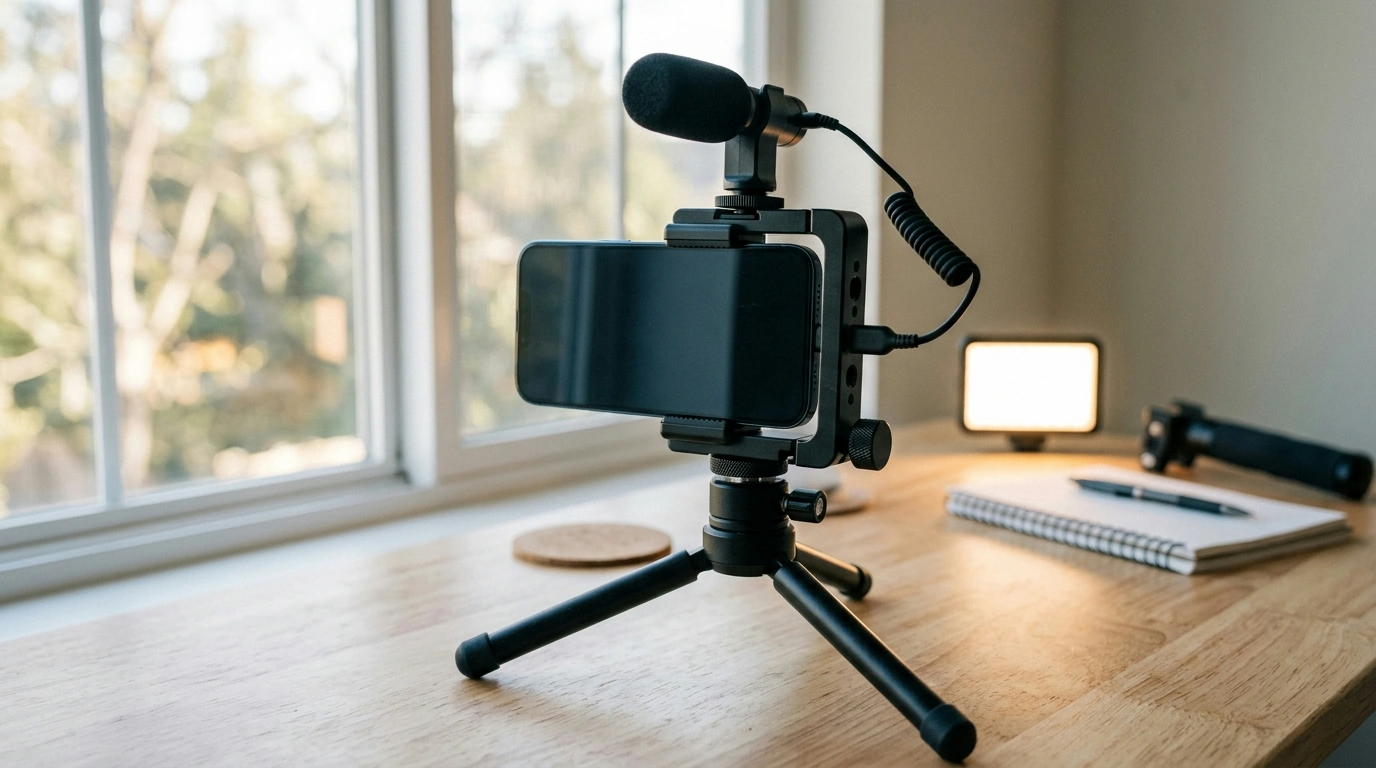
A solid phone mount is the difference between shaky footage and consistently usable video. An adjustable metal iPhone mount brings the two upgrades most creator setups need: a firm clamp that keeps framing steady, and a cold shoe slot that lets you add an accessory (like a microphone or small LED) without stacking extra adapters. Whether you shoot handheld, on a tripod, or on a compact rig, the right mount helps your iPhone behave more like a dedicated camera—stable, repeatable, and easy to build on.
What this mount is designed to do
- Hold an iPhone firmly with a metal clamp to reduce wobble during recording.
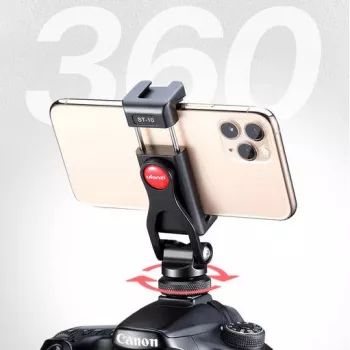
- Add a cold shoe connection point for a mic, light, or receiver without extra adapters.
- Support portrait and landscape setups for social clips, interviews, and product demos.
- Fit into common creator setups that already use tripods, handles, or small rigs.
If you’re capturing quick social footage, recording a talking-head segment, or filming product close-ups, stability is what makes shots look intentional. For iPhone camera basics and recording controls, Apple’s guides are a helpful reference: Record videos with your iPhone camera and change video formats and settings.
Key parts and why they matter
- Adjustable clamp: grips the phone with consistent pressure so framing stays put.
- Metal build: improves durability compared with plastic mounts, especially under accessory weight.
- Cold shoe adapter: creates a quick-slide accessory mount for audio and lighting.
- Mounting points: enables attaching the phone mount to typical supports (tripods, grips, compact rigs).
The cold shoe is the practical feature that simplifies your setup: instead of balancing a mic elsewhere (or relying on a wobbly stack of adapters), you get a dedicated place for a light, a small shotgun mic, or a wireless receiver. Cleaner rig layout also helps reduce cable tug—one of the sneakiest causes of audio crackle and drifting framing. For fundamentals on mic placement and getting clearer voice capture, NPR’s training resources are a strong starting point: microphone basics and placement.
Quick specs and compatibility checklist
- Confirm iPhone fit: check phone width with or without a case before tightening fully.
- Confirm accessory fit: cold shoe accessories vary slightly; ensure a secure slide-in lock.
- Plan balance: heavier microphones or lights should be centered to reduce torque on the clamp.
- Check support gear: verify your tripod/handle uses a compatible connection point.
Compatibility checklist (before the first shoot)
| Item | What to check | Why it matters |
|---|---|---|
| iPhone + case | Clamp range and grip with case on | Prevents slipping and avoids overtightening |
| Microphone / receiver | Cold shoe foot slides in and locks | Stops accessory drift and audio cable tug |
| LED light | Weight and center of gravity | Helps keep the rig stable in handheld use |
| Tripod / grip / rig | Matching mounting thread or interface | Ensures the setup is usable without extra parts |
Common setups that work well
- Vlogging kit: mount + small LED light in the cold shoe for simple face fill while walking or shooting indoors.
- Interview kit: mount + compact shotgun mic for clearer speech and less room echo than the built-in mic.
- Desk recording: mount on a tripod for overhead demos, packaging shots, or talking-head clips with consistent framing.
- Mobile livestream: mount with a light on top and a charging cable routed to avoid strain on ports and connectors.
For longer sessions—livestreams, events, or multi-take shoots—power is part of stability. Keeping the iPhone charged prevents rushed takes and sudden shutdowns mid-recording.
How to get a stable shot (and protect the phone)
- Tighten until secure, then stop: excessive force can stress buttons or cases and can make quick repositioning harder.
- Center the phone: keep the phone aligned so clamp pressure is even and the device doesn’t creep during movement.
- Manage cables: route audio/charging cables so they don’t pull on the cold shoe accessory or twist the phone in the clamp.
- Test shake before recording: a quick wiggle check helps catch micro-jitter before you hit record.
- Add accessory weight carefully: if using a heavier light, consider a tripod instead of handheld to reduce fatigue and sway.
A useful habit: set your framing, lightly tap the screen to lock focus/exposure (if that’s part of your workflow), then do a gentle side-to-side test with your grip. If the phone shifts, back off and re-seat it rather than tightening harder in the same position.
Care and longevity tips for a metal phone mount
Product options available now
- Adjustable Metal Phone Mount for Apple iPhone with Cold Shoe Adapter — $34.01 USD (in stock). A straightforward way to clamp an iPhone securely and add a cold shoe accessory on top.
- 30W Portable Power Bank for Apple Devices — $43.51 USD (in stock). Helpful for longer filming days, mobile livestreams, and travel setups where wall power isn’t convenient.
- USB Type C Wireless Magnetic Charger for Apple Watch Ultra 9 8 7 6 5 Fast Charge — $3.01 USD (in stock). A compact add-on for creator kits that include an Apple Watch for remote controls, timers, or notifications during shoots.
FAQ
Will this hold an iPhone securely with a case on?
It depends on the case thickness and how the phone fits within the clamp range. Test the mount with the exact case you plan to use, and tighten only until the phone is stable without squeezing excessively.
What can be attached to the cold shoe adapter?
Common cold shoe accessories include small LED lights, compact microphones, and wireless receiver units. The accessory foot should slide in smoothly and lock down securely so it won’t drift during movement.
Can it switch between portrait and landscape filming?
Yes—this style of mount is designed to support both orientations for reels, interviews, and product demos. After rotating, re-check balance, especially if a mic or light is mounted on the cold shoe.



Leave a comment